Make Safe For Work (MSFW)
Your Security. Simplified.
Welcome to your MSFW Dashboard. This page explains every security control included with your package, what it does, how to test it, what changes to expect, and how each control connects to compliance reporting.
It also guides new customers through “How to Get Started” immediately after purchase.
How to Get Started with MSFW
Follow these four simple steps to confirm your protection and compliance are in place.
Step 1 — Installation
Once MSFW installs on your device, most protections activate automatically in the background.
Step 2 — Confirm Everything Is Working
Each section below includes simple tests you can perform at any time.
Step 3 —Review Expected Changes
Some features introduce new prompts or block risky actions. All changes are listed clearly so there are no surprises.
Step 4 — Compliance Visibility
If your plan includes compliance, this page shows which controls generate reports and which frameworks they map to.
MSFW Controls by Package
BUSINESS PLAN
Core automated protection using MSFW security templates
(Settings are not editable for Basic customers.)
Web Blocker
What it does:
Blocks unsafe or inappropriate websites by category.
How to test:
Try opening a site from one of the blocked categories; it should be denied.
(For example, test with a game site since Games is blocked by default.)
You can also check any website’s category using Talos Intelligence a trusted threat-intelligence platform owned by Cisco:
https://talosintelligence.com/
Blocked categories:
Adult Material, Extended Protection, Gambling, Proxy Avoidance, Intolerance, Parked Domain, Security, Tasteless, Violence, Peer-to-Peer, Tunneling/Proxies, Games.
Impacts:
Risky or inappropriate content will not load.
Compliance reporting: Yes
Full Encryption
What it does:
Automates and enforces device encryption, including reporting.
How to test:
Check if BitLocker is enabled (Windows).
1) Press the windows key and type "Control Panel".
2) Navigate to BitLocker Drive Encryption
3) You should see the status displayed.
Impacts:
Protects data in case of loss, theft, offboarding, or inventory audits.
Compliance reporting: Yes
Zero Trust Application Protection
What it does:
Checks and analyzes new applications before they run.
How to test:
Install any new application and review the security popup.
Impacts:
Some apps may require vetting.
Compliance reporting: Yes
Ransomware Protection (Antivirus)
What it does:
Blocks known malware and ransomware.
How to test:
Download the EICAR test file.
https://www.eicar.org/download-anti-malware-testfile/
Impacts:
No workflow changes.
Compliance reporting: Yes
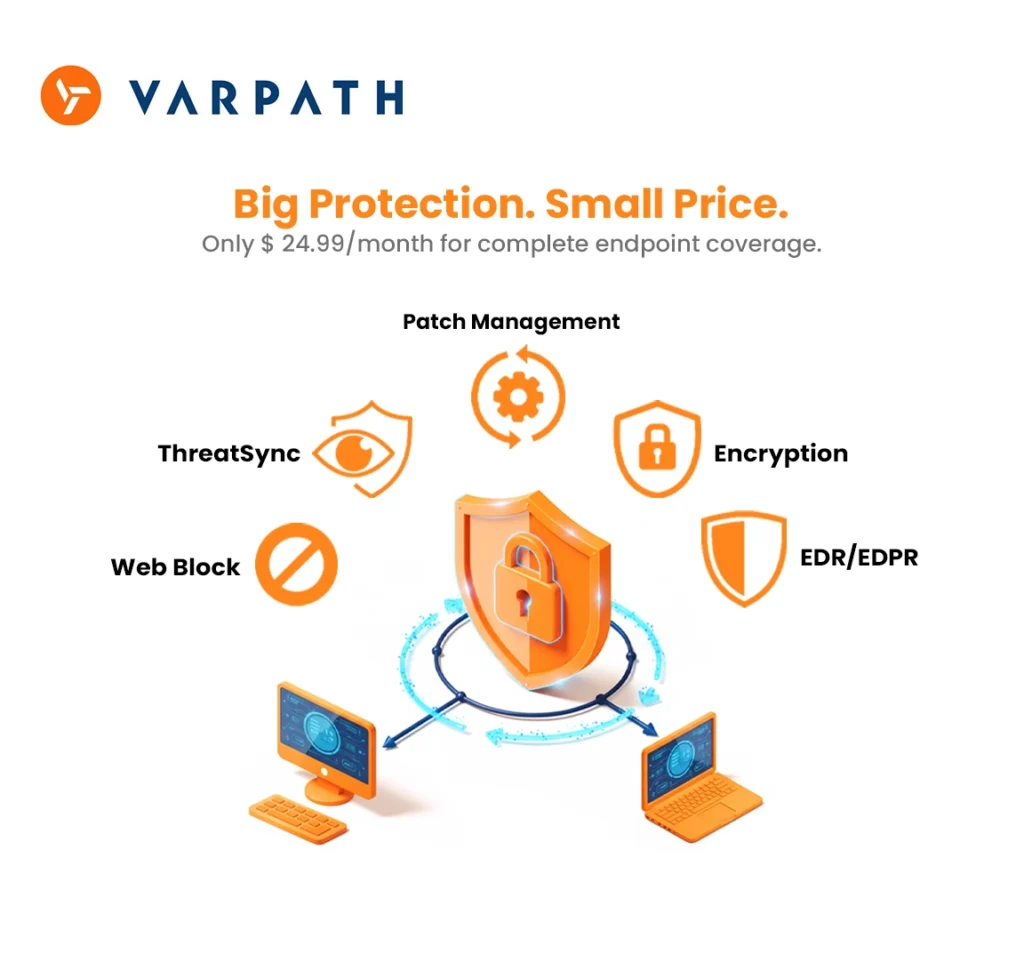
Patch Management
What it does:
Automates updates for operating systems and third-party software.
How to test:
Updates should appear consolidated, followed by a reboot prompt when needed.
Impacts:
Occasional reboot prompts after major updates.
Coverage: Microsoft, Adobe, Apple, Zoom, and other major vendors.
Compliance reporting: Yes
ThreatSync
What it does:
Automatically quarantines and removes threats.
How to test:
A simulated isolation can be scheduled by our support team.
You can also verify how multiple security vendors classify files or domains using VirusTotal, a threat-analysis platform owned by Google:
https://www.virustotal.com/
Impacts:
Stops infected processes quickly.
Compliance reporting: Yes
EXECUTIVE PLAN
Includes EVERYTHING in BASIC, plus editable settings and continuous monitoring.
24×7 Human + AI SOC
What it does:
A round-the-clock Security Operations Center monitors alerts, isolates infected machines, and resolves incidents.
How to test:
Review isolation activity or request a SOC test.
Impacts:
Full-time monitoring, quicker response.
Compliance reporting: Yes
Compliance Coverage
What it does:
Generates scheduled compliance reports aligned with major frameworks.
Reports include:
Cyber Essentials, DORA, FFIEC, ISO 27001 (2013 + 2022), Microsoft 365 Compliance, MPA Content Security, NIS2, NIST 171, NIST 800-53, NIST CSF, Ransomware Prevention Guidance.
How to test:
Weekly reports will be delivered automatically.
Compliance reporting: Yes
ESSENTIAL PLAN
Includes EVERYTHING in BASIC, plus advanced threat defenses.
All items below are editable for Essential and Premium customers.
APT Blocker (Sandboxing)
What it does
Suspicious files are executed in a sandbox before they reach your environment.
How to test
Weekly or monthly sandbox reports will show detections.
Expected impact
Only malicious files are blocked; normal work remains unaffected.
Compliance
Included.
Advanced Antivirus
What it does
Adds an additional antivirus engine for higher detection accuracy.
How to test
Confirmed through weekly/monthly threat reports.
Expected impact
Only bad files are stopped.
Compliance
Included.
Application Filtering
What it does
Blocks risky software categories such as:
Remote access tools
Games
P2P
Crypto admin tools
Proxy/tunneling applications
How to test
Blocked applications will fail to run and appear in your reports.
Expected impact
Some software categories may be restricted.
Compliance
Included.
Geo - Filtering
What it does
Blocks traffic to high-risk countries (default: China, Russia, Iran, Syria, North Korea).
How to test
Visit any embassy site from a blocked region.
Expected impact
International access may be limited.
Compliance
Included.
Botnet Protection
What it does
Stops communication between infected devices and malicious networks.
How to test
Review weekly/monthly reports for blocked botnet activity.
Expected impact
Infected devices may be temporarily isolated.
Compliance
Included.
TOR Exit Node Blocking
What it does
Prevents TOR anonymity networks from accessing or leaving your environment.
How to test
TOR browser will not connect.
Expected impact
TOR traffic is blocked.
Compliance
Included.
ThreatSync Automation (Enhanced)
What it does
Combines firewall + endpoint telemetry for deeper automated investigations.
Expected impact
Fewer false positives, faster containment.
Compliance
Included.

PREMIUM PLAN
Full enterprise-grade security and compliance suite.
Includes EVERYTHING in BASIC + Executive + Essential.
Full Compliance Reporting
What it does
Centralized, audit-ready reports combining firewall + software controls.
How to test
First full report delivered at the end of your reporting cycle.
Compliance
Included, deepest visibility available.
Compliance Guidance & Coaching
What it does
Provides recommendations from security experts to help you maintain or achieve compliance.
How to test
Guidance appears alongside your compliance results.
Compliance
Included.
ThreatSync+ (Full Hardware + Software Integration)
What it does
Real-time correlation engine combining firewall, endpoints, web filters, and sandbox telemetry to produce high-accuracy alerts and automated responses.
Expected impact
Highest level of protection and visibility across your environment.
Compliance
Included.

Before & After Installation
After MSFW
- Unified protection across all devices
- Automatic encryption
- Continuous patching
- Smart application control
- SOC oversight (Executive+ tiers)
- Automated reports for audits (Executive+ tiers)
Before MSFW
- Multiple unsecured endpoints
- Manual updates and patching
- No web filtering
- No SOC monitoring
- Limited compliance visibility
- Higher risk of malware and ransomware exposure